
The demand for clear, engaging video communication has grown significantly in recent years. Companies across industries want to simplify product demos, streamline onboarding, and strengthen brand storytelling without overwhelming internal teams.
Over the past year, Mediasolz, as a video production agency, has worked with businesses ranging from SaaS startups to large retailers, creating launch films, training assets, and short brand stories. Throughout this journey, one recurring request stood out: clients wanted to know which explainer video software platforms we preferred and why.
There is no universal formula, but a pattern emerged while reviewing the tools we used during live client projects. Some options helped us move fast when deadlines tightened. Others offered more control for teams that wanted involved collaboration or cinematic polish. And a few were robust enough to support corporate explainer video production with heavy branding requirements.
We can’t gatekeep anymore, so that you can have your hands on some exceptional explainer video software in 2026. Consider this blog as your resource kit for explainer video software platforms and explore the tools ahead!
Why Choosing the Right Explainer Video Tool Actually Matters?

Traditional explainer video creation was built for an era where custom animation meant hiring specialists, dealing with lengthy revisions, and relying on fragmented tools like basic editing software or outsourced freelancers. Now the tools are already there, many of which are either too technical or don’t have the needed features.
This model created three systemic limitations:
- Resource constraints: Small teams or startups couldn’t afford high-end production without external help.
- High time and cost: Manual workflows limited scalability, making quick iterations impossible.
- Low customization: Generic templates resulted in bland videos that failed to engage audiences.
Video digitalization emerged as a response, but early tools focused more on basic editing than rethinking the entire creation process. True transformation began when platforms started integrating AI, collaboration, and seamless workflows to flow from idea to polished video. When clients approach explainer video agencies, they assume professional specialists can switch between tools easily. However, results vary based on the workflow that the software encourages.
Top 12 Explainer Video Software Platforms: Our 2026 Picks
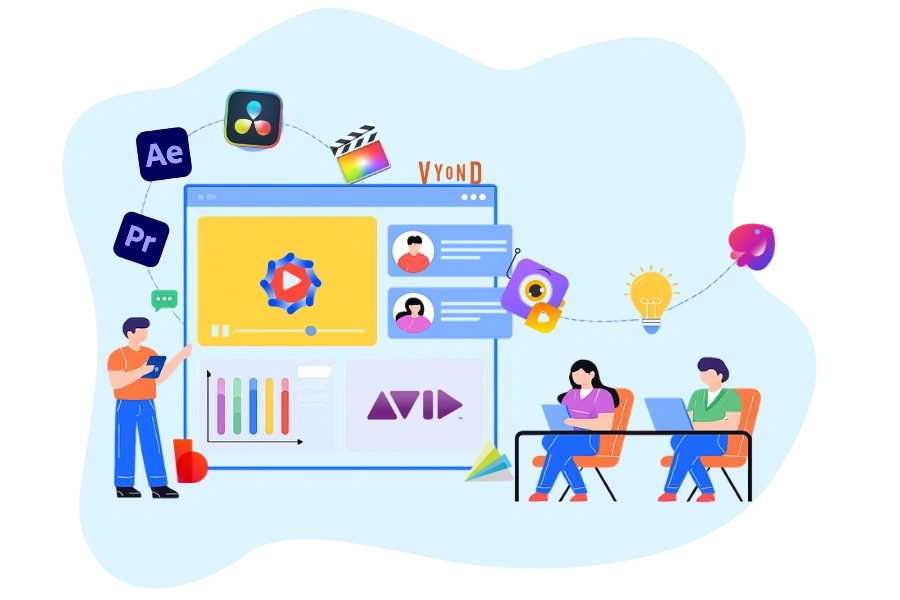
You might have heard about a wide range of browser-based platforms built for speed, hybrid suites that balance ease, depth, and heavyweight animation programs usually associated with corporate explainer video production. Here are some of our top trusted platforms that can become your go-to resource for quality explainer video production in 2026:
1. Adobe Premiere Pro
handling complex timelines and multi-format delivery.
From an explainer video software perspective, Premiere Pro excels in assembling narrative-driven content. It allows editors to structure voice-overs, animations, screen captures, and b-roll with precision. For production teams delivering high-volume video production services, its timeline flexibility and integration with other Adobe tools streamline collaboration.
Premiere Pro is particularly effective when explainer videos involve interviews, mixed media, or product walkthroughs that require tight narrative pacing.
Best suited for: Script-heavy explainers, hybrid live-action + motion workflows, agency-scale projects.
2. Adobe After Effects
Adobe After Effects is not optional in serious explainer video production; it is foundational.
When explainer videos rely on motion graphics, kinetic typography, or UI animations, After Effects becomes the primary explainer video software. It gives production teams granular control over timing, transitions, and visual hierarchy. This control is critical in corporate explainer video production, where messaging must remain precise and on-brand.
While the learning curve is steep, experienced teams value After Effects for its compositing depth and extensibility through expressions and plugins.
Best suited for: Animated explainers, SaaS demos, brand-led storytelling.
3. DaVinci Resolve
DaVinci Resolve has matured into a serious contender in the explainer video software space.
What sets Resolve apart is its color science and all-in-one workflow. For production teams managing visually rich explainer videos, especially those involving product visuals or cinematic elements, Resolve offers unmatched color control without moving between tools.
Its free version also makes it attractive for emerging video production agencies that want professional-grade output without immediate licensing pressure.
Best suited for: Visually intensive explainers, color-critical projects, lean production teams.
4. Avid Media Composer
Avid Media Composer is less common in small explainer teams but remains relevant in large-scale production environments.
Avid shines where asset management, version control, and long-term project stability matter. For enterprises producing training libraries or serialized explainer content, it offers unmatched robustness. However, its interface and workflow are less intuitive for fast-paced explainer video production.Best suited for: Enterprise media teams, long-term content ecosystems.
5.Final Cut Pro
working on Apple ecosystems value its speed.
Final Cut Pro’s magnetic timeline allows editors to assemble explainer videos rapidly, making it effective for short-format educational content or internal communication videos. While it lacks the deep motion capabilities of After Effects, it integrates well with motion templates for lighter animation needs.
Best suited for: Fast-turnaround explainers, internal corporate videos, lean teams.
6. Vyond
Not every project requires complex motion design. Many brands, startups, and even some explainer video agencies rely on cloud-based platforms for speed and accessibility. Vyond specializes in character-driven animated explainers. It is widely used for training, HR communication, and educational content. While it does not replace high-end explainer video production, it provides fast results with a consistent style.
Best suited for: Training videos and internal corporate communication.
7. Animaker
Animaker makes animation more accessible for beginners and small teams without prior design experience. While it cannot match the refinement offered by high-end explainer video software, it serves startups and small teams looking to produce early marketing videos.
Professional video production services teams sometimes use Animaker during early concept validation, before transitioning to advanced workflows for final delivery.
Best suited for: Startup marketing explainers and concept-stage videos.
8. PowToon
Powtoon blends slideshow logic with animation features. It works best when explainers follow a structured, presentation-style narrative. However, from a video production agency perspective, it lacks the creative flexibility required for polished brand storytelling.
It can be useful in early-stage corporate explainer video production, especially for internal communications.Best suited for: Sales decks, educational explainers, and internal presentations.
9. Synthesia
Synthesia introduces AI-generated presenters, which makes it distinct within the explainer video software market. Production teams see value in its ability to scale multilingual content quickly, especially in global corporate explainer video production environments.
That said, strong scripting and visual planning are still required. Many explainer video agencies integrate Synthesia only when logistical efficiency outweighs the need for cinematic storytelling.Best suited for: Training modules and multilingual corporate communication.
10. InVideo
InVideo focuses on quick, template-driven marketing outputs. While not designed for complex explainer video production, it supports rapid social and promotional explainers.
Even the video production companies typically use this tool for lightweight marketing needs rather than core brand storytelling.
Best suited for: Social media explainers and short marketing videos.
11. Animoto
Animoto simplifies visual storytelling through structured templates. It is not considered professional-grade explainer video software, but small teams sometimes use it for initial or temporary use.
It works when storytelling relies on images, text overlays, and music rather than animation depth.
Best suited for: Simple promotional explainers and event highlights.
12. Biteable
Biteable offers lightweight animation templates that enable quick and easy to make edits. While convenient, it does not provide the customization required by most explainer video agencies.
It may serve small businesses that are not yet ready to engage a professional video production company, but larger brands typically move beyond it for serious explainer video production.
Best suited for: Small business marketing and quick brand messages.
What Production Teams Actually Look For?
Behind project deadlines, budget constraints, and client expectations, software decisions shape production quality. Based on internal documentation and debriefs, we identified five criteria that truly matter when selecting explainer video software:
- Asset Adaptability: The ability to adjust libraries for brand tone ensures reusable outputs across multiple campaigns.
- Export Versatility: Seamless rendering saves hours of downtime in video production services schedules.
- Voice Integration: Tools that allow quick narration changes reduce friction for clients unsure of the final voice talent.
- Revision Convenience: The cost of revisions is lower when software supports collaborative notes and a layered structure.
- Scalability: Sustainable explainer video production requires platforms capable of managing multi-format delivery without rebuilding work from scratch.
Across these benchmarks, the best tools reduce friction between creative direction and final animation. When explainer video agencies synchronize scriptwriting, voice-over work, and animation timelines efficiently, clients feel the difference.
Common Users’ Misconceptions About Software Choice
Many users assume that selecting the best explainer video software alone guarantees standout results. Our production experience shows otherwise. Software helps, but the core still relies on messaging clarity, well-written scripts, and visuals that do not overload viewers. Even the most advanced explainer video software will fall short if the underlying story lacks focus. In our video production agency, we first refine narrative structure before using animation tools. This approach ensures that software supports the message rather than masking weak communication.
What do We Deduce?
While tools form the backbone of explainer video production, outcomes in 2026 depend on how intelligently those tools are applied. Mediasolz operates at this intersection of technology and storytelling.
Rather than forcing a one-size-fits-all software approach, Mediasolz designs workflows tailored to each brand’s objective, whether it involves complex motion graphics, product explainers, or enterprise-level corporate explainer video production. Our production teams understand not just explainer video software, but when and why to use each platform.
For brands seeking clarity, consistency, and conversion-focused explainer videos, Mediasolz stands out as a video production agency that prioritizes quality, consistency, and results. Enter into the world of exceptional video production and visuals with Mediasolz. Connect with us at www.mediasolz.com or call us now!
Frequently Asked Questions
Can non-designers use explainer video tools easily?
Yes, many modern platforms are built with non-designers in mind. Tools with drag-and-drop interfaces, preset animation styles, and guided story templates allow beginners to produce clean results. However, professional storytelling still benefits from scriptwriting and narrative structure, even if the software itself is user-friendly.
What are the best platforms for animated explainer videos?
Platforms like PixelBoard Motion Suite, Synthflow Studio, and FrameVista Animate are commonly preferred when animation quality matters. They offer character libraries, brand-ready icon sets, and animation presets that help maintain consistency across multiple projects. For custom animation workflows, a production studio using hybrid tools may be the best choice.
Which software produces the highest quality videos for professional use?
Enterprise-grade platforms such as Articulate Designer Max and hybrid studio workflows like Mediasolz Motion Framework deliver the most professional output because they balance animation depth, brand accuracy, and export reliability. The highest quality results generally come from software paired with experienced production oversight rather than the tool alone.
How do I choose the right video platform based on my business needs?
Start with your goals. If you need rapid tutorials or onboarding clips, prioritize speed and simplicity. For brand-heavy campaigns or investor presentations, choose software with deeper customization options. If messaging consistency is critical, selecting a platform used by a professional production partner ensures alignment with long-term brand strategy.
How important is customer support when choosing video software?
Customer support becomes crucial once timelines tighten. Responsive support reduces downtime caused by rendering issues, export errors, or asset conflicts. For time-sensitive campaigns, weak support can directly delay delivery. If your videos are central to marketing efforts, prioritize platforms with proven assistance and reliable documentation.


![Best Explainer Video Production Companies in India [2026 Edition]](https://mediasolz.com/wp-content/uploads/2026/02/Best-Explainer-Video-Production-Companies-in-India-2026-Edition-150x150.png)